
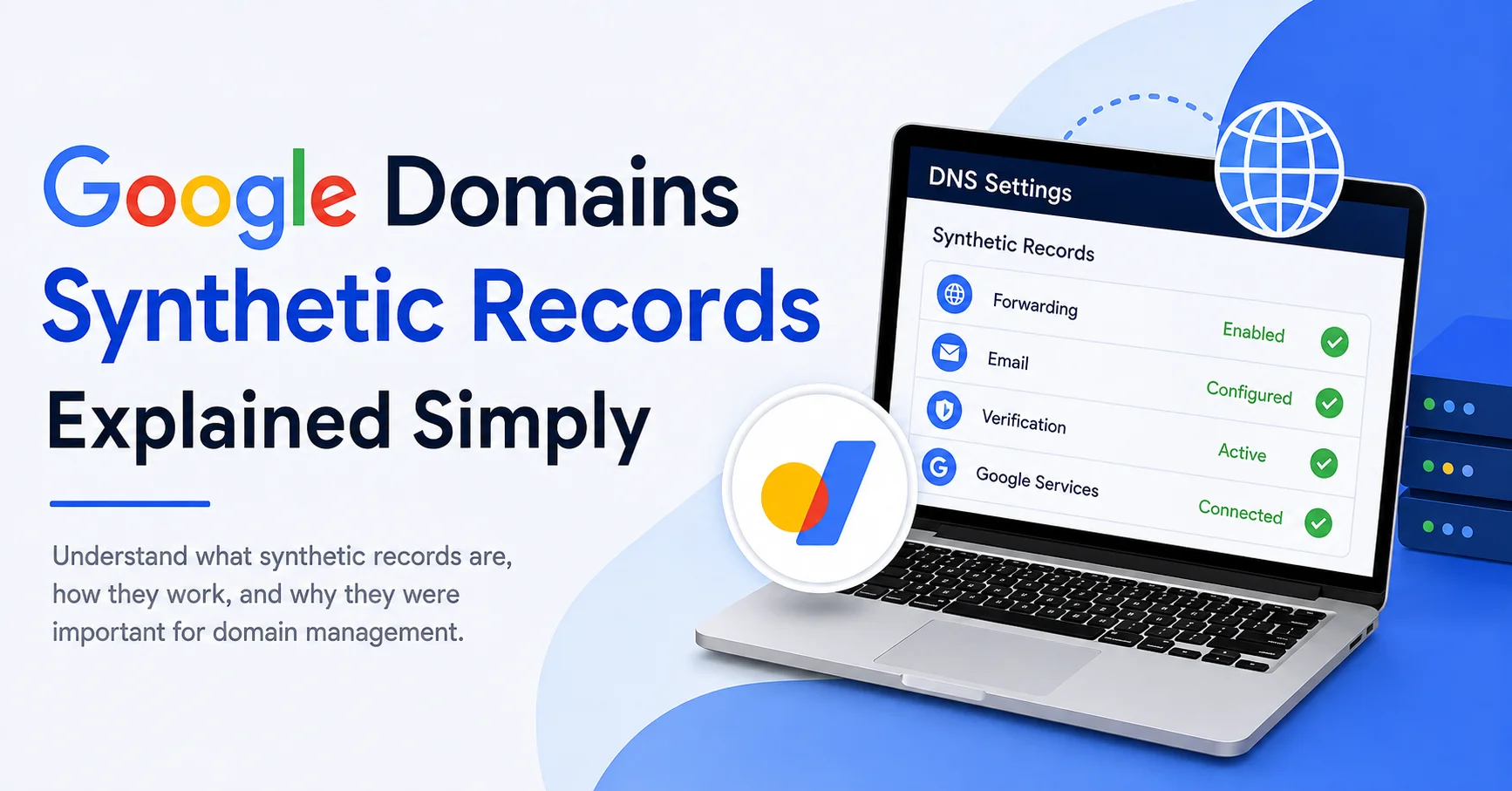
If you have ever opened a domain’s DNS settings and seen terms such as Synthetic Records, you may have wondered what they actually mean. DNS already has familiar records like A, CNAME, MX, TXT, and NS, so the idea of another type of record can feel unnecessarily complicated.
The good news is that the concept is much simpler than it sounds.
Google Domains Synthetic Records were a feature designed to make certain common domain-management tasks easier. Instead of manually creating several DNS records to accomplish a particular goal, Google Domains could provide a simplified option that automatically handled the necessary DNS configuration behind the scenes.
There is also an important point for anyone researching this topic today: Google Domains is no longer an active domain registrar. Google announced the sale of its Google Domains business to Squarespace in 2023, and Squarespace completed the acquisition on September 7, 2023. Existing Google Domains customers were subsequently migrated to Squarespace.
So, why are people still searching for Google Domains Synthetic Records?
Because older tutorials, screenshots, documentation, and DNS configurations continue to reference the feature. Understanding what it was can make those resources much easier to follow.
ALSO READ: ETL Process Optimization: Smarter Data Workflows
What Were Google Domains Synthetic Records?
In simple terms, a synthetic record was a preconfigured DNS feature that represented a particular service or function.
Traditional DNS records require you to understand what each record does and enter the correct values. A synthetic record tried to simplify that process.
For example, suppose you wanted to connect your domain to a particular Google service. Rather than asking you to understand every DNS record required for that service, Google Domains could provide a specialized setting that automatically created or managed the underlying records.
Think of it like this:
Traditional DNS setup:
You receive several technical instructions → find the correct DNS record types → enter values manually → save the records → wait for DNS changes.
Synthetic record approach:
Choose a specific service or function → provide the required information → the system handles the related DNS configuration.
That was the main attraction of google domains synthetic records: convenience.
They were particularly useful for people who wanted to manage a domain without becoming DNS experts.
Why Were Google Domains Synthetic Records Created?
DNS is extremely powerful, but it is not always beginner-friendly.
A typical DNS configuration might include:
- A records
- AAAA records
- CNAME records
- MX records
- TXT records
- NS records
- SRV records
Each has a different purpose. One incorrect value can prevent a website from loading, stop email from working, or interfere with domain verification.
google domains synthetic records provided a more task-oriented approach.
Instead of thinking:
Which DNS record should I create?
a user could think:
What am I trying to accomplish with my domain?
That distinction is important.
Someone might not understand the technical details of DNS but still know that they want to forward their domain, connect it to a service, or configure email.
A simplified configuration option could make that process less intimidating.
How Did Google Domains Synthetic Records Work?
To understand Google Domains Synthetic Records, it helps to first understand ordinary DNS records.
When you type a domain name into a browser, the internet needs to determine where that domain should lead. DNS acts like a directory that connects human-readable domain names with technical information used by computers.
For example, an A record can connect a domain or hostname to an IPv4 address.
A CNAME can point one hostname toward another hostname.
An MX record tells email systems where messages for a domain should be delivered.
A TXT record can store text-based information used for verification, authentication, and other purposes.
Synthetic records operated at a slightly different level from simply asking users to manually enter these individual records.
They were essentially higher-level configurations that could generate or manage the appropriate DNS behavior.
This made them particularly convenient for common domain-management tasks.
Synthetic Records vs. Standard DNS Records
One of the easiest ways to understand the concept is to compare synthetic records with conventional DNS records.
| Feature | Standard DNS Record | Synthetic Record |
|---|---|---|
| Configuration | Usually manual | More automated |
| Technical knowledge | Can be required | Generally lower |
| Purpose | Direct DNS control | Simplified specific function |
| Flexibility | High | More task-specific |
| Beginner-friendly | Depends on record | Generally easier |
Standard DNS records are building blocks.
Synthetic records were more like shortcuts built around those building blocks.
That does not necessarily mean synthetic records were better in every situation. Experienced administrators often prefer direct DNS control because it gives them more flexibility.
For beginners, however, abstraction can be extremely helpful.
Common Uses Associated With Google Domains Synthetic Records
The exact synthetic features varied according to the services and functionality supported by Google Domains at the time.
One important concept was domain forwarding.
Instead of configuring a complete website on a domain, a domain owner might want visitors who entered one domain to be redirected somewhere else.
For example, a company might own:
examplebrand.com
but want visitors to end up at another website.
A simplified forwarding configuration could make this much easier than manually constructing a complete DNS setup.
Other Google-related configurations could also be simplified through domain-management features.
The important takeaway is that synthetic records were not intended to replace every DNS record. They were designed to simplify particular jobs.
Why Synthetic Records Could Be Confusing
The terminology itself was probably one of the biggest sources of confusion.
When someone hears “synthetic record,” it sounds as if it is a completely different type of DNS technology.
It is more useful to think of the term as describing a convenient configuration layer provided by the domain-management platform.
The word “synthetic” essentially indicated that the setting was created or managed by the platform rather than being simply a conventional DNS record that the user manually entered.
That is why you might encounter older documentation explaining synthetic records differently from standard A, CNAME, or MX records.
Are Google Domains Synthetic Records Still Available?
This is where current information matters.
Google Domains itself is no longer operating as Google’s domain registrar.
Google announced in June 2023 that Squarespace would acquire the assets associated with the Google Domains business. The transaction was completed on September 7, 2023. Squarespace subsequently became responsible for the migrated Google Domains customers and registrations.
Squarespace’s current documentation states that people who previously had a Google Domain now manage their domain through Squarespace.
Therefore, it would be misleading to describe Google Domains Synthetic Records as a current Google Domains feature that someone can simply open and configure today.
The term is primarily useful for understanding legacy Google Domains documentation and older DNS configurations.
What Happened To Existing Google Domains?
The transition from Google Domains to Squarespace was designed to move existing domain registrations and customer accounts to the new platform.
Squarespace completed the acquisition in September 2023 and began moving customers to its domain-management platform after the transition period.
If you previously used Google Domains, your domain-management environment may therefore look different from what you see in older tutorials.
This is one reason an older article might tell you to look for “Synthetic Records” while you cannot find the same option in your current domain dashboard.
The documentation may simply be describing an older version of the Google Domains interface.
Why Old Tutorials Still Mention Synthetic Records
Technology tutorials often remain online for years.
A guide written while Google Domains was active may contain instructions such as:
Open Google Domains.
Select your domain.
Open DNS settings.
Find Synthetic Records.
Select the required service.
Save the configuration.
Those instructions may have been perfectly accurate when they were published.
But the internet does not automatically update old tutorials when a service changes ownership or shuts down.
As a result, someone researching DNS today may find several pages discussing Google Domains Synthetic Records even though Google Domains is no longer Google’s active registrar.
This is an excellent example of why readers should always check the date of technical documentation.
Synthetic Records And Google Workspace
Another reason the subject remains relevant is the historical relationship between domain management and Google Workspace.
A custom domain is commonly used with Google Workspace for professional email.
For example, instead of using an address ending in a generic consumer email domain, a business can use an address such as:
name@examplecompany.com
For email to work correctly, DNS must contain the appropriate MX configuration.
Google’s current Workspace documentation explains that MX records tell email systems where messages for a domain should be delivered.
This distinction is important because Google Workspace and Google Domains were separate services, even though they could work together.
The retirement of Google Domains did not mean that Google Workspace itself disappeared.
A business can still use Google Workspace while managing its domain through a different registrar or DNS provider.
Do Synthetic Records Replace DNS?
No.
Synthetic records should not be thought of as a replacement for DNS itself.
DNS remains the underlying system responsible for translating domain-related information into instructions that internet services can use.
Instead, synthetic records were a convenience mechanism within the Google Domains environment.
Think about it like using a website builder.
A website builder may allow you to create a page without manually writing HTML, CSS, and JavaScript.
The underlying technologies still exist.
The platform simply provides an easier way to interact with them.
Synthetic records followed a similar philosophy for certain domain configurations.
What Happens If You See An Old Synthetic Record?
If you are researching an old domain configuration and encounter references to a Google Domains Synthetic Record, do not immediately assume that something is broken.
First, determine what the configuration was intended to accomplish.
Ask:
- Was the domain being forwarded?
- Was it connected to email?
- Was it used for a Google service?
- Was it pointing visitors somewhere else?
- Was it part of a verification process?
- Was it associated with a third-party website?
Understanding the purpose is more useful than focusing only on the old terminology.
Once you know the intended function, you can identify the modern DNS configuration required by the service currently handling the domain.
Why Understanding DNS Still Matters
Even though Google Domains has been discontinued, learning about synthetic records can teach you an important lesson about DNS management.
You do not always need to memorize every technical record.
Instead, understand what each record is trying to accomplish.
For example:
A record:
Generally connects a hostname to an IPv4 address.
AAAA record:
Generally connects a hostname to an IPv6 address.
CNAME record:
Creates an alias pointing a hostname toward another hostname.
MX record:
Specifies mail servers responsible for receiving email.
TXT record:
Stores text information commonly used for verification and authentication.
NS record:
Identifies the authoritative nameservers for a domain.
Once these concepts become familiar, DNS settings stop looking like a random collection of technical values.
The Difference Between Registrar And DNS Provider
Another important lesson from the Google Domains transition is that your domain registrar and DNS provider do not necessarily have to be the same company.
A registrar manages the registration of your domain name.
A DNS provider manages the DNS records that tell the internet where different services associated with that domain are located.
Sometimes one company provides both services.
Sometimes domain owners use separate companies.
This distinction becomes especially useful when moving a domain from one provider to another.
Changing your registrar does not automatically mean you need to change every DNS service associated with your website or email.
What Should Website Owners Do Today?
If you are working with a domain that was previously registered through Google Domains, the first step is to identify where the domain is currently managed.
Because Google Domains registrations were transferred to Squarespace, former customers should look at their current domain-management account rather than relying on old Google Domains instructions.
Then review your DNS configuration carefully.
Pay particular attention to:
- Website A or CNAME records
- Email MX records
- TXT verification records
- Domain authentication records
- Subdomain configurations
- Nameservers
- Redirects and forwarding settings
Do not delete an unfamiliar DNS record simply because you do not recognize it.
A record that looks unnecessary might be responsible for email delivery, domain verification, website access, or another important service.
Common Mistakes When Following Old Google Domains Guides
One of the biggest mistakes is assuming that every old Google Domains tutorial is still directly applicable.
It may not be.
Another common mistake is confusing the registrar with the DNS provider.
A third mistake is changing several DNS records at once without understanding what each one does.
This can make troubleshooting extremely difficult.
A better approach is to make one change at a time, document the original configuration, and verify the affected service afterward.
DNS changes can also take time to propagate, depending on caching and TTL settings.
Why The Topic Still Matters For SEO
At first glance, DNS might seem unrelated to search engine optimization.
But your domain’s technical setup can affect whether search engines and visitors can reliably access your website.
A broken DNS configuration can result in:
- Website downtime
- Failed domain verification
- Incorrect redirects
- Email problems
- Unavailable subdomains
- SSL or hosting connection issues
SEO depends on a website being accessible and technically healthy.
That does not mean synthetic records themselves are an SEO ranking factor.
They are not something you should optimize for search rankings.
Instead, understanding them helps you understand the infrastructure supporting a website.
Google Domains Synthetic Records Explained In Plain English
If we reduce the entire concept to one sentence, it is this:
Google Domains Synthetic Records were simplified domain-management configurations that helped users perform certain DNS-related tasks without manually creating every underlying record.
They were useful because DNS can be intimidating.
Instead of forcing every user to understand the technical structure behind a particular function, Google Domains provided easier configuration options for supported tasks.
However, Google Domains is now discontinued as a Google service, following the transfer of its domain business to Squarespace.
That means anyone reading about synthetic records today should treat the term largely as a historical Google Domains concept, especially when working through older tutorials or legacy documentation.
Final Thoughts
Google Domains Synthetic Records may sound like an advanced DNS technology, but the underlying idea was actually quite practical.
They were designed to make specific domain-management tasks easier by providing simplified configurations instead of requiring users to manually manage every technical DNS detail.
The most important thing to remember today is the historical context. Google Domains was sold to Squarespace in 2023, and former Google Domains customers now manage their domains through Squarespace.
So if you encounter the phrase Google Domains Synthetic Records in an old tutorial, don’t assume you are missing a setting in your current dashboard. The interface and management platform have changed.
What has not changed is the importance of understanding DNS.
Once you understand what records are designed to accomplish, even complicated-looking domain settings become much easier to interpret. And that knowledge can save you from making accidental changes that affect your website, email, verification services, or other parts of your online presence.
FAQs
What is Google Domains Synthetic Records?
Google Domains Synthetic Records were simplified configurations that helped users perform certain domain and DNS-related tasks without manually entering every underlying DNS record.
Are Google Domains Synthetic Records still available?
Google Domains is no longer an active Google registrar. Its domain business was acquired by Squarespace in 2023, so the original Google Domains interface and features are no longer available as they once were.
Were synthetic records the same as DNS records?
Not exactly. Synthetic records were higher-level configurations designed to simplify certain functions, while standard DNS records are the individual technical records used to control domain behavior.
Why do old tutorials mention Google Domains Synthetic Records?
Many technical tutorials were published when Google Domains was still operating. Those articles can remain online even after a service changes or shuts down.
Do I still need to understand DNS today?
Yes. Even without Google Domains, understanding basic DNS records can help you manage websites, email, subdomains, verification, redirects, and other domain-related services more safely.
ALSO READ: Stall Mattress Horse: A Simple Guide For Better Comfort

Emily Carter is a tech enthusiast who writes about PC cooling, hardware performance, and system optimization. She enjoys simplifying complex topics and helping readers make better tech decisions.